
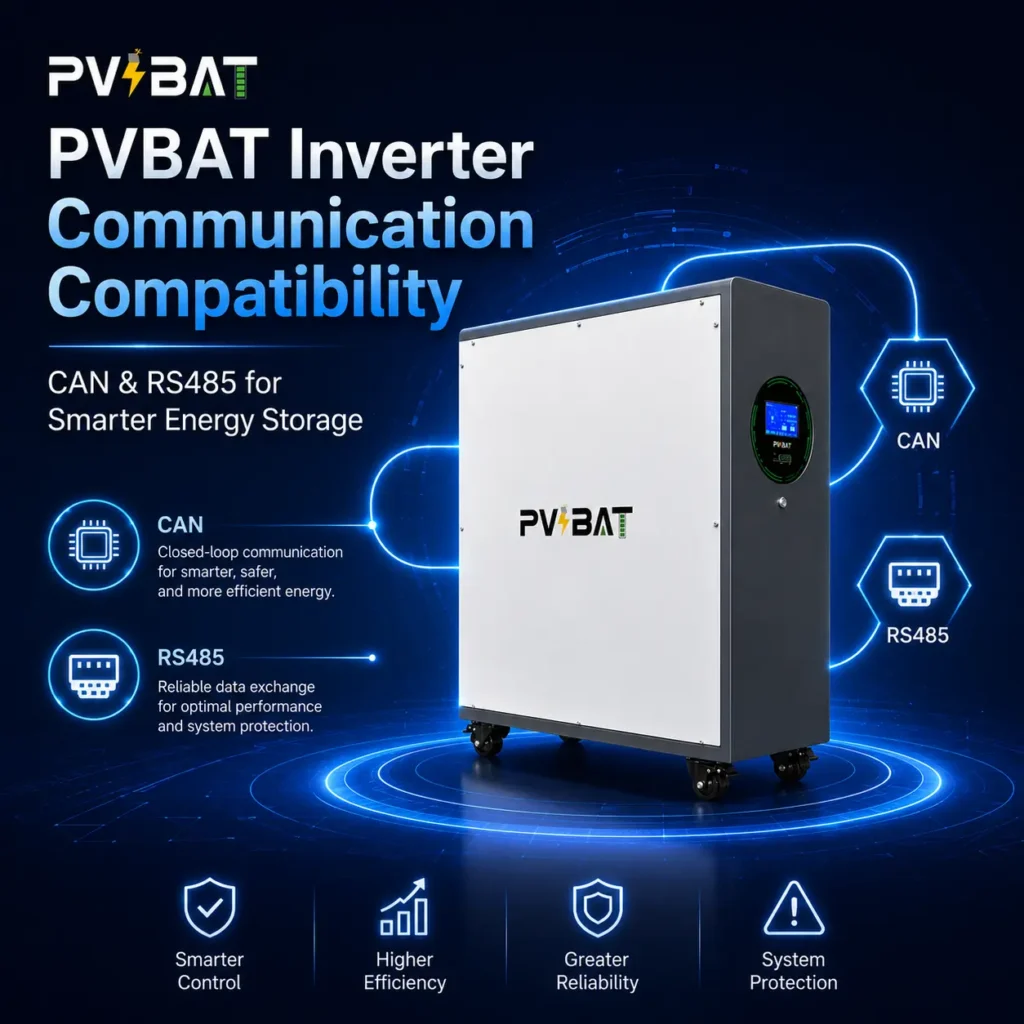
PVBAT CAN/RS485 Compatibility with Pylontech, Sol-Ark, Deye, Victron, Growatt, SMA, and More
Stop asking, “Will this battery work with my inverter?”
For many installers and homeowners, battery compatibility only becomes a problem after the system is already on the wall. The wiring looks right. The voltage matches. But the inverter still cannot read the battery properly.
That is usually not a battery-capacity issue. It is a communication issue.
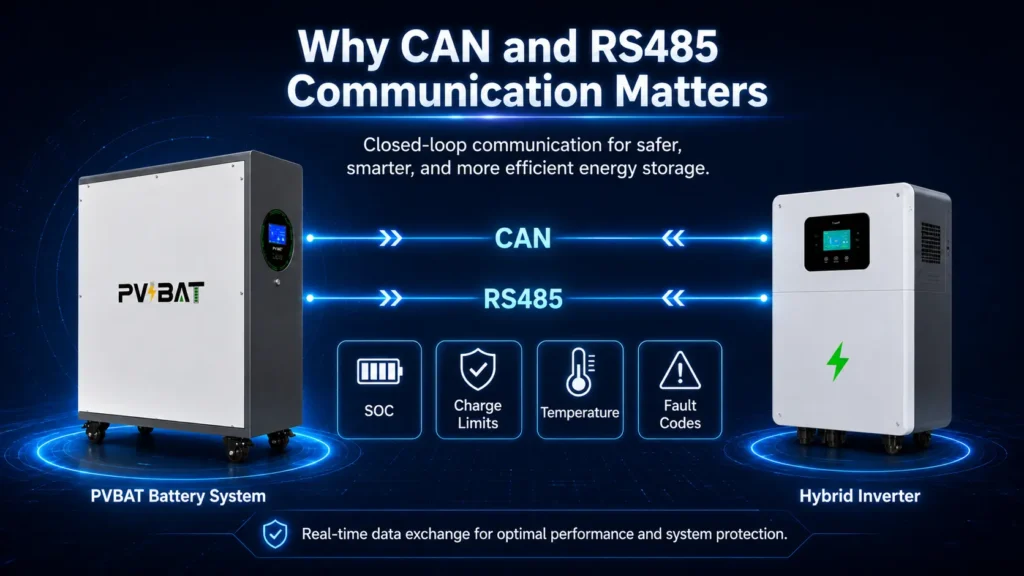
PVBAT is designed to make that part simpler. Our batteries support both CAN and RS485 communication, covering the protocols used by many popular residential and off-grid inverter brands. In most supported systems, the inverter can read battery SOC, voltage limits, temperature status, charge/discharge limits, and fault information directly from the battery BMS.
No translator box. No complicated workaround. Just a cleaner closed-loop connection between the battery and the inverter.
Why CAN and RS485 Matter
Some batteries are called “compatible” simply because they can output 48V. That is only the starting point.
Real compatibility means the inverter and battery are communicating continuously. The inverter should know how much energy is left, how much current the battery can safely accept, whether the cells are too cold to charge, and whether protection limits have been reached.
That communication usually happens through one of two interfaces:
CAN Bus
CAN is commonly used by many hybrid and higher-end inverter systems. It is reliable, noise-resistant, and well suited for closed-loop battery communication. Through CAN, the BMS can send SOC, voltage limits, current limits, temperature warnings, and fault data to the inverter.
RS485
RS485 is widely used in off-grid and value-oriented inverter systems. It supports longer cable runs and is common across brands such as Growatt, SRNE, PowMr, MUST, and others. PVBAT also supports RS485-based communication protocols for compatible systems.
The practical benefit is simple: instead of relying on rough voltage-based SOC estimates, the inverter receives battery data directly from the BMS. That helps the system charge more accurately, discharge more safely, and respond better to real battery conditions.
Choose the Right Connection Method
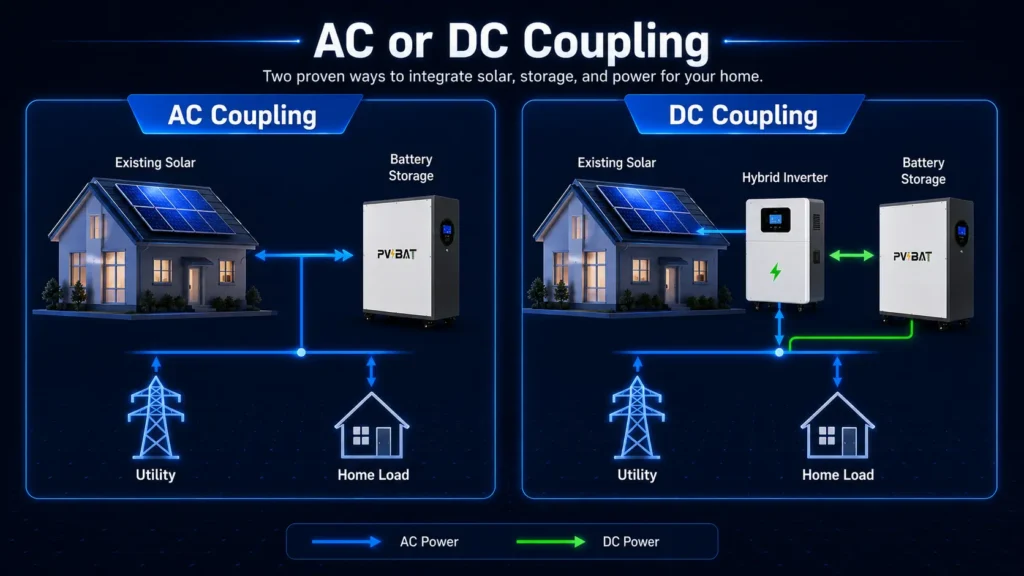
AC Coupling: For Homes That Already Have Solar
If your home already has a solar system installed with brands such as SolarEdge, Enphase, SMA, or Fronius, PVBAT can be added on the AC side of the system.
In this setup, the battery system does not need a direct communication cable to the existing solar inverter. Instead, AC-coupled systems typically manage solar production through frequency-watt control, depending on inverter settings and local grid-support requirements.
This is often the preferred path when the solar array is already installed and the homeowner wants to add storage without rebuilding the PV side of the system.
DC Coupling: For New Systems and Off-Grid Projects
For new installations, hybrid systems, and off-grid projects, DC coupling is usually the more direct approach.
In this setup, PVBAT connects to the hybrid or off-grid inverter through CAN or RS485. Once the correct battery protocol is selected in the inverter menu, the battery and inverter can begin exchanging data through the BMS communication port.
This allows the inverter to read battery status and adjust charging or discharging behavior automatically, instead of relying only on manually entered voltage settings.
DC Coupling Compatibility
The following inverter brands and series are commonly supported through closed-loop CAN or RS485 communication.
| Inverter Brand | Tested / Commonly Used Models or Series | BMS Protocol | Installer Notes |
|---|---|---|---|
| Pylontech | Pylontech BMS-enabled systems | Pylontech Native | Direct protocol match. Simple setup with standard BMS communication. |
| Sol-Ark | 15K-2P, 12K-2P, 8K-2P | Pylontech / Sol-Ark Modbus | Select the compatible lithium battery setting. SOC and fault data can display on the inverter screen. |
| Luxpower | LXP series hybrid and off-grid units | Luxpower / Pylontech | Select Luxpower or Pylontech depending on inverter firmware. |
| Deye | SUN 3K–12K SG series | Pylontech / Deye CAN | Set battery type to lithium and select the matching protocol. |
| Victron Energy | MultiPlus-II 48V, Quattro 48V with Cerbo GX | Pylontech via Victron GX | Select Pylontech in the GX battery settings. |
| SMA | Sunny Island 4548-US, 6048-US | SMA Battery / Pylontech Mapping | Use lithium-ion external BMS mode where supported. |
| Growatt | SPF 3000TL LVM-ES, SPF 5000 ES, SPF 6000T DVM | Pylontech / Growatt Protocol | Select LI battery mode and the matching protocol number. |
| GoodWe | ES, EM, SBP, BH hybrid series | GoodWe CAN / Pylontech | Select Pylontech or native CAN according to model requirements. |
| Megarevo | R3-6KL1, R5-10KL1, R8-12KL1 | Pylontech | Choose Pylon protocol in the battery settings. |
| Solis | S5-EH1P series, S5-EH1P-US | Pylontech / Solis CAN | Select Pylontech under battery options. |
| INVT | iMars BD-HS series | Pylontech / INVT | Set the battery type to Pylon or the matching lithium protocol. |
| SRNE | HF2430U60-100, HF4850U80-100, HF series | Pylontech / SRNE | Select PYL in the battery menu where available. |
| MUST | HP-PH, EP-PH series | Pylontech / MUST | Use the Pylon option for BMS communication. |
| Aiswei | ASW S-S series | Pylontech / Aiswei CAN | Select the compatible battery protocol and verify data reading. |
| Sofar | HYD 3000–6000ES, HYD-KTL-3PH | Pylontech | Direct CAN connection with Pylontech protocol where supported. |
| Sorotec | REVO hybrid series | Pylontech | Use the Pylontech profile for BMS communication. |
| SMK Solak | 48V hybrid inverter series | Pylontech Generic | Use the generic Pylontech protocol for SOC, voltage, and fault reporting. |
| Schneider Electric | Conext XW Pro 6848, SW 4048 | Custom via communication gateway | May require a communication box or additional configuration. |
Why the Pylontech Protocol Is So Widely Used
Many inverter menus include a battery option labeled PYL, Pylon, or Pylontech.
That matters because Pylontech-style communication has become one of the most widely supported lithium battery protocol families in hybrid and off-grid inverter systems. PVBAT supports this protocol family to make integration easier across a broader range of inverter brands.
If your inverter includes a Pylontech option, there is a good chance PVBAT can communicate with it. If your exact model is not listed, send us the inverter model and firmware version, and our support team can help confirm the correct setting.
AC Coupling Compatibility
For homes that already have solar, PVBAT can be used in AC-coupled storage systems where the existing PV inverter remains in place.
| PV Inverter Brand | AC Coupling Method | Notes |
|---|---|---|
| SolarEdge | Frequency-watt control | Commonly used in retrofit solar-plus-storage projects. |
| Enphase | Frequency-watt control | Suitable for many microinverter-based systems when configured correctly. |
| SMA | Frequency-watt control | Works with compatible grid-support settings. |
| Fronius | Frequency-watt control | Requires proper configuration based on local grid rules. |
AC-coupled performance depends on inverter model, firmware, local electrical code, grid-support settings, and system design. Always confirm the final configuration before installation.
What Closed-Loop Communication Helps Prevent
BMS communication is not just a convenience feature. It helps reduce common installation and operation problems.
More accurate SOC display
Voltage-based SOC can swing under load and give misleading readings. Closed-loop communication allows the inverter to receive SOC data directly from the battery BMS.
Safer charging behavior
The battery can report charge limits, temperature status, and protection conditions. This allows the inverter to adjust charging behavior based on real battery conditions.
Cleaner installation
For many supported systems, a standard communication cable and the correct inverter protocol setting are enough. This reduces time spent troubleshooting pinouts, menus, and manual voltage settings.
Better system visibility
When the inverter can read battery data correctly, homeowners and installers get clearer information on SOC, voltage, alarms, and operating limits.
How to Check Your Inverter Compatibility
You can usually confirm the right setup in a few steps.
- Find your inverter model number.
It is usually printed on the side label or shown in the inverter app. - Check whether your system is AC-coupled or DC-coupled.
If you already have solar and are adding storage, it may be AC-coupled. If you are building a new hybrid or off-grid system, it is likely DC-coupled. - Look for the battery protocol menu.
Check whether your inverter has options such as Pylontech, PYL, Lithium, CAN, RS485, or a brand-specific lithium protocol. - Confirm the firmware version.
Some inverter models support different protocols depending on firmware. - Send us your inverter information.
If you are not sure, our team can help confirm the correct communication method before installation.
Need Help Confirming Your Setup?
See your inverter in the table? Great — send us your model number and we will help confirm the best communication setting.
Do not see your inverter listed? No problem. Share the inverter brand, model number, firmware version, and a photo of the communication port label. Our support team will review it and help you choose the right setup.
PVBAT Power Solutions
Energy storage should not lock you into one inverter brand.
Whether you are adding backup power to a home, building a new hybrid system, or setting up an off-grid project, PVBAT is designed to communicate with many of the inverter brands installers already use.
PVBAT — Power Solutions Expert.
Energy Anytime · Anywhere.
Disclaimer
Compatibility information is based on internal testing, field feedback, and supported protocol data. Final compatibility may vary by inverter model, firmware version, wiring method, regional settings, and installation environment. Always confirm the system design before installation. Electrical work should be performed by a qualified professional in accordance with local codes and applicable safety standards.