
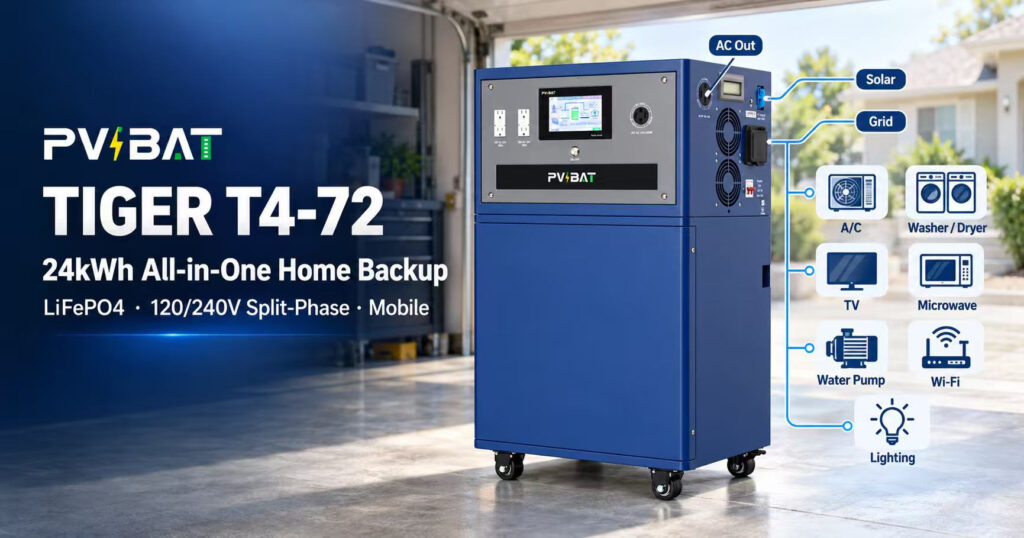
The PVBAT solar battery calculator is a planning tool for U.S. home backup and off-grid energy storage. You enter how you use electricity, how long you need power, and the appliances you want to keep running. Regular results show two starting options: a TIGER T4-72 all-in-one system, and an ELEPHANT system with 12 kW split-phase hybrid inverter(s) and ELEPHANT battery cabinets. The inverter on that second path is sold separately.
This article explains how the estimate is built, how to read those two options, and what the calculator does not decide. It is a starting estimate, not a guarantee or a final specification. Confirm nameplates with a licensed electrician before you order.
If you are still comparing system types or backup tiers, start with the home battery backup buying guide after you run the tool—or use both together.
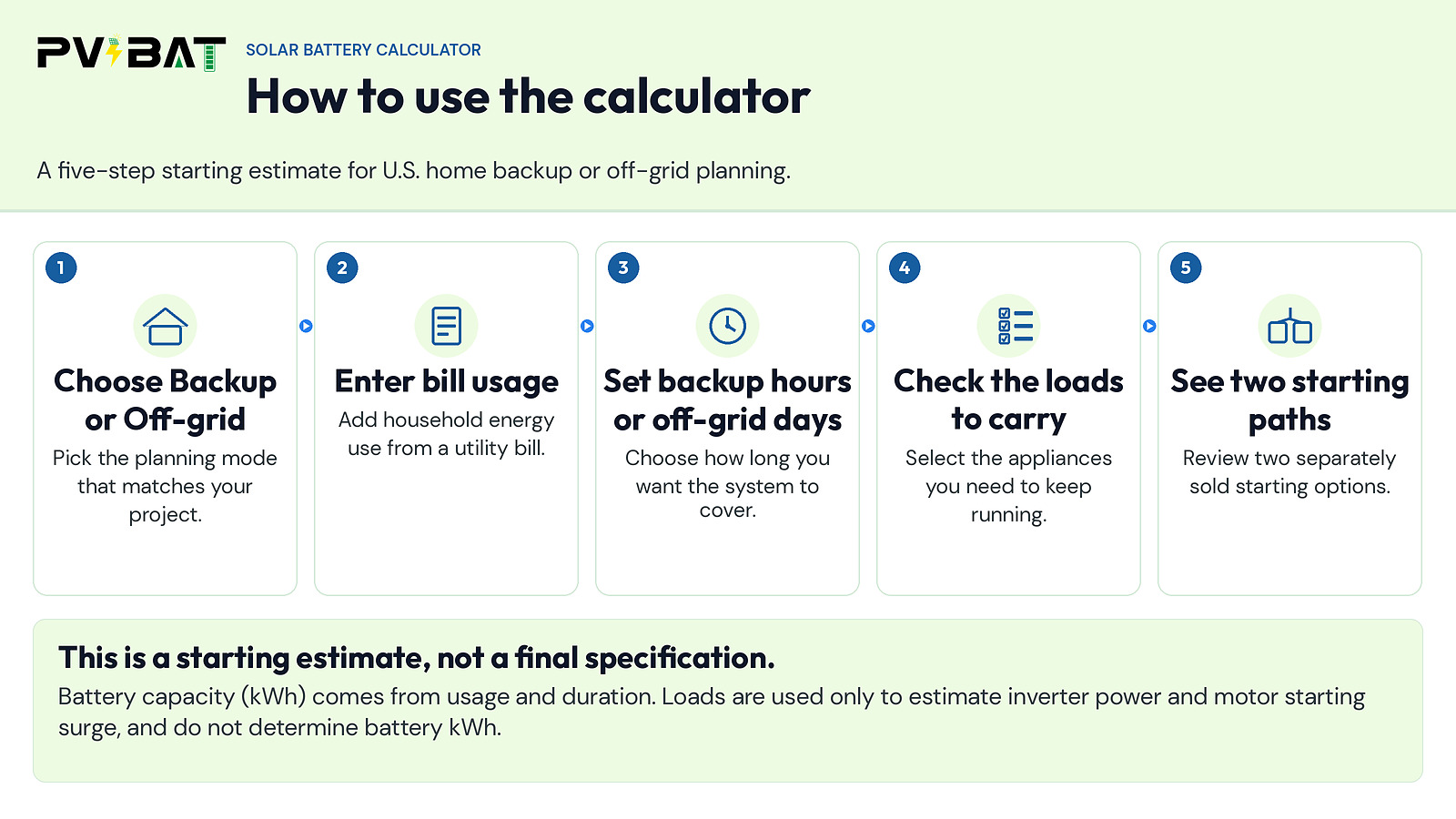
What this calculator is for
The calculator helps you turn a utility bill, a backup-duration goal, and a load list into a starting storage and power estimate. It is built for home backup and off-grid planning, not for camping or portable power stations.
Use it when you want to:
- See how monthly electricity use and backup hours (or off-grid days) affect battery size
- Check whether inverter power and motor surge look realistic for the appliances you select
- Compare two regular equipment paths, then open the product pages for current pricing
- Decide whether solar should be part of this estimate, or whether a battery-only backup plan is enough for now
Do not treat the result as a construction plan, a wiring diagram, or a promise that every selected load can run at the same time. Rated kWh is not the same as usable kWh. Permanent connections to a home panel, transfer equipment, solar array, generator circuit, or utility service must be designed and installed by a licensed electrician, following the product manuals and local code / the authority having jurisdiction (AHJ).
Backup vs off-grid: which path to choose
The first choice in the tool is what you need the system for.
Backup power covers an outage for the time you choose. Battery size follows your monthly usage and that duration. A backup plan includes a 595W panel count only if you choose “I want to add solar.” If a backup plan is set to “No” for solar, the calculator does not automatically size panels. That path is a common starting point for grid-connected homes; see home battery backup without solar if you want to charge from the utility first and add PV later.
Off-grid plans for daily energy without relying on the utility. Battery size still follows your monthly usage and the number of days you enter. Off-grid plans also size additional array capacity when it is needed so typical daily production can cover typical daily use. If you already have solar, existing capacity is counted first, and only a shortfall is sized with additional panels.
A ZIP code is optional, but encouraged. For off-grid plans, and for backup plans when you choose to add solar, the calculator uses it to look up a state average for peak sun hours when sizing 595W panels. Peak sun hours come from state annual averages based on NREL PVWatts / NSRDB data. If the tool cannot match your ZIP, it uses 4.5 peak sun hours and says so in the result.
If you are deciding whether a battery should replace a portable generator for outages, read battery backup vs portable generator for home outages. If you need to keep a private well running, read battery backup for 240V well pumps before you treat a result as final.
How to enter usage: bill kWh, bill dollars, or a planning average
Choose how to enter monthly electricity use. “From my bill” is the most accurate.
- Enter monthly kWh from your bill when you have it.
- Or leave kWh blank and enter your monthly dollar amount plus the rate from your bill. Conversion: kWh = dollars ÷ (rate in $/kWh).
- If both kWh and dollars are entered, the kWh value is used.
If you enter a dollar amount without kWh and do not supply a rate, the calculator can convert the bill using a U.S. EIA residential average shown in the tool. That prefill is an estimate and can change when EIA updates its tables. Use the rate from your own bill whenever you have it.
A quick estimate is also available if you do not have a bill handy. It uses published U.S. household averages from EIA Residential Energy Consumption Survey (RECS) 2020 Table CE2.1, based on home size, and can optionally be scaled by household size relative to the RECS U.S. average. It is a planning average, not a measurement of your home. Replace it with bill kWh as soon as you can.
How battery size is estimated
Battery size comes from your monthly electricity use and how long you need power—not from the appliance checklist.
- For backup power, battery size is monthly kWh ÷ 30 × backup hours ÷ 24.
- For off-grid, it is monthly kWh ÷ 30 × off-grid days.
That result is a rated-storage starting point. Rated kWh is not the same as usable kWh. Usable energy at the AC loads is lower because of the permitted discharge window, conversion losses, reserve settings, temperature, and operating conditions.
For the TIGER T4-72, several current product and planning pages describe usable energy for planning as about 18.4 kWh, using 80% depth of discharge and conversion efficiency of 96% or higher (24 × 0.80 × 0.96 ≈ 18.4 kWh). Actual runtime still depends on your loads, startup events, and conditions. Confirm the current planning value on the TIGER product page or in the manual. For worked household examples, see what a 24kWh battery backup can run.
How appliance picks size inverter power and motor surge — not battery kWh
The appliance list does a different job from the battery-size math.
You choose home or commercial, then select the U.S. appliances you want to power. Those choices size inverter power and motor surge only, not battery size. Typical watts in the tool are planning values, not your nameplate. The calculator treats selected appliances as if they may run at the same time, which is a conservative planning assumption—not a statement that every load will, or should, run together.
Optional shortcuts can pre-check a starting list. You can still edit the appliances. Essentials covers typical outage basics (refrigerator, lights, and Wi-Fi). Whole home does not pre-check a 5-ton central air conditioner.
Motor-driven loads—well pumps, compressors, and some HVAC equipment—need a startup-surge review. A system can have enough stored energy and still be a poor fit if continuous power or surge is too low. The calculator does not replace a nameplate review. If a 240V well pump is on your list, use the 240V well pump backup guide and have a licensed electrician confirm voltage, running current, and locked-rotor / startup demand.
How to read the two regular options
Regular results show two options. Neither is a default recommendation. Use them as starting configurations to review, then confirm current pricing on the product pages.
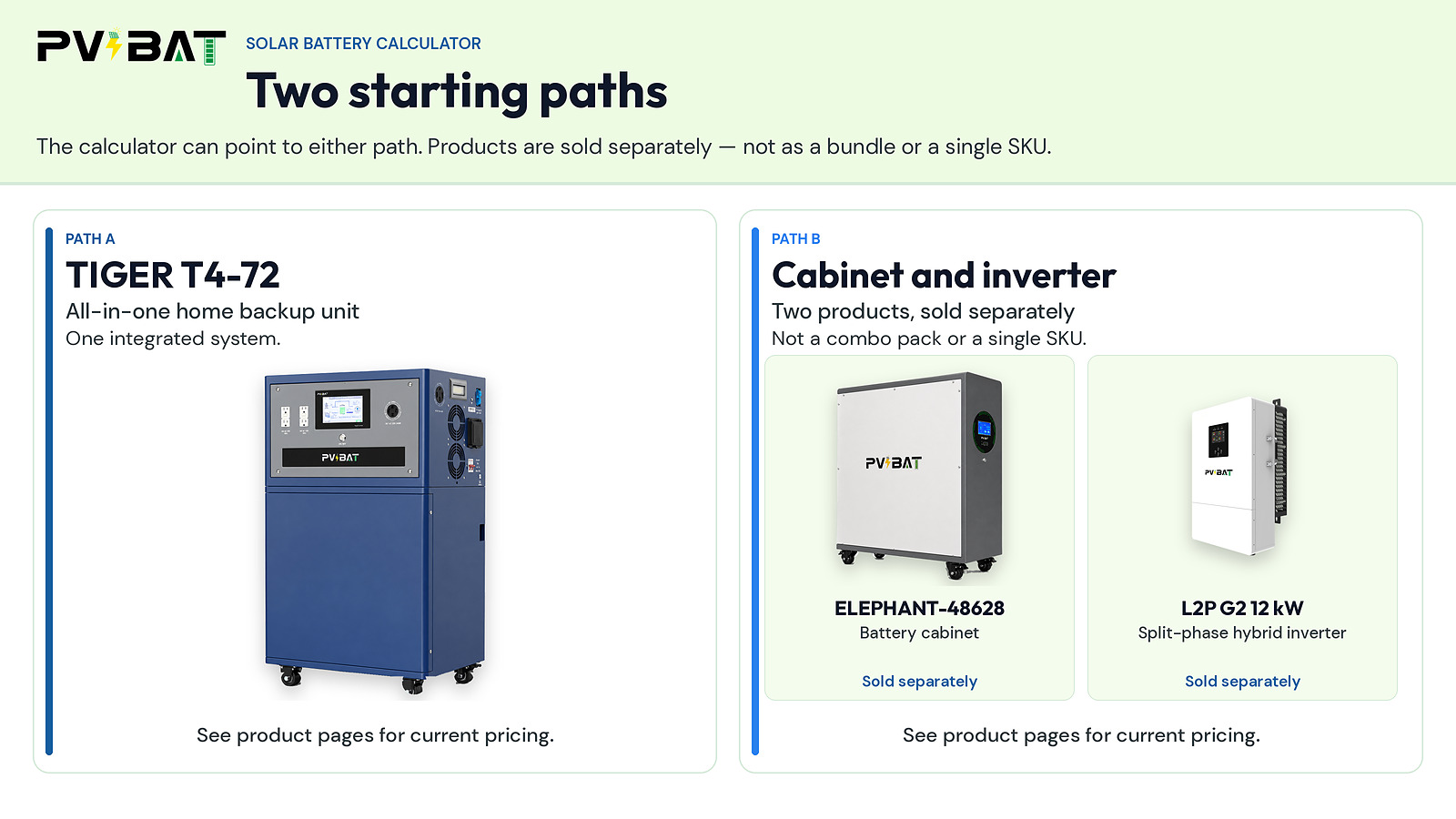
Option A is a TIGER T4-72 all-in-one system. TIGER storage is matched in rated 24 kWh, 48 kWh, and 72 kWh steps from your monthly kWh and the backup hours or off-grid days you choose. Extra TIGER batteries add energy only; power stays 13 kW continuous and 26 kW surge. The official landing and the TIGER product page have the current specifications, connection options, and pricing. For typical solar, grid-charge, or combined setups, see the TIGER-T4-72 installation guide. Do not backfeed the utility grid.
Option B is an ELEPHANT system: 12 kW split-phase hybrid inverter(s) plus ELEPHANT 32.15 kWh cabinets, sized from the same energy need and from running and surge load. The cabinet and the L2P G2 12 kW split-phase hybrid inverter are sold separately. See the L2P G2 + ELEPHANT-48628 installation guide for an educational overview of off-grid and grid-connected backup layouts. Interconnection, when used, must follow the product manuals, a licensed electrician’s design, and the utility or AHJ. That overview is not a complete interconnection plan.
If the load exceeds TIGER’s 13 kW continuous or 26 kW surge ratings, the TIGER option is flagged for review, and the ELEPHANT option is sized with enough inverters. Selecting a large central air conditioner does not by itself remove the TIGER option or auto-upgrade the equipment.
If you want a fuller comparison of all-in-one and cabinet-plus-inverter architectures, read all-in-one 24 kWh ESS vs modular wall batteries.
What “I want to add solar” changes, and how 595W panels are estimated
A backup plan includes a 595W panel count only if you choose “I want to add solar.” Off-grid plans, and backup plans with that solar choice, size a 595W solar array so typical daily production can cover your daily use. If you already have solar, existing capacity is counted first.
Typical daily production per 595W panel is estimated as 0.595 × peak sun hours × 0.85. The panel count is the daily energy need (monthly kWh ÷ 30) divided by that figure, rounded up. Peak sun hours use a state annual average compiled from NREL PVWatts / NSRDB when a U.S. ZIP code can be matched; otherwise the calculator uses 4.5 peak sun hours.
TIGER solar input is 90–230 V, max 8 kW (about 13 of these 595W panels on the TIGER input). If the sized array would need more than 8 kW of solar input, the TIGER option recommends adding an extra MPPT. String voltage is not automatically checked. Each 12 kW inverter on the ELEPHANT option can accept up to 13 kW of PV (6.5 kW × 2 MPPT).
These panel counts are planning estimates. A licensed electrician or solar designer still has to confirm string design, open-circuit voltage, and the connection method in the manuals.
When a commercial plan needs engineer matching
If the load category is Commercial and the planned battery storage is greater than 100 kWh, the calculator does not auto-select a standard TIGER or ELEPHANT kit. It shows an engineer-matching state, with the calculated storage and power figures as a reference, so a PVBAT engineer can match the system.
Home plans are not forced into engineer matching solely because storage is above 100 kWh. If a home estimate looks unusually large, treat it as a reason to review usage, duration, and simultaneous loads—not as an automatic commercial upgrade.
What the calculator does not decide
The tool will not:
- Confirm that your actual nameplates match the planning watts in the appliance list
- Check PV string voltage automatically
- Guarantee that every selected load can run at the same time
- Choose a “default” product for you
- Design panel, transfer, or utility interconnection
- Calculate payback, or tell you which incentive you will receive
Federal and state incentive rules change by year, location, ownership model, and installation date. Ask your installer or tax advisor about current programs before purchasing. For a short overview of that process, see the solar battery incentive guide.
Current pricing is not calculated in the tool. See the TIGER, ELEPHANT, and L2P G2 product pages for current pricing, and confirm freight, accessories, tax, and any installation work in a written quote.
Next step: run the calculator, then request a review
- Open the PVBAT solar battery calculator.
- Choose backup or off-grid, enter a ZIP code if you have one, and use bill kWh when you can.
- Set the hours or days you want to cover, then add the appliances that must stay on.
- Read both regular options. Open the official TIGER T4-72 landing or the ELEPHANT and L2P G2 product pages for current specifications and pricing. The cabinet and inverter are sold separately.
- If the estimate looks like a fit, send it from the calculator or contact PVBAT for a review. Share nameplates for pumps and other motor loads.
If you need a broader shopping framework after the estimate, return to the buying guide.
Frequently asked questions
How does the calculator size battery storage?
For backup power, battery size is monthly kWh ÷ 30 × backup hours ÷ 24. For off-grid, it is monthly kWh ÷ 30 × off-grid days. Selected appliances size inverter power and surge, not battery kWh. Rated kWh is not the same as usable kWh.
Which systems do regular results show?
Regular results show two options. Option A is a TIGER T4-72 all-in-one system, matched in rated 24 kWh, 48 kWh, and 72 kWh steps. Option B is an ELEPHANT system: 12 kW split-phase hybrid inverter(s) plus ELEPHANT 32.15 kWh cabinets. The cabinet and the L2P G2 inverter are sold separately. Neither option is a default recommendation.
Does a backup plan include solar panels?
Only if you choose “I want to add solar.” Off-grid plans size additional array capacity when it is needed to cover typical daily use. If a backup plan is set to “No” for solar, the calculator does not automatically size panels.
Does choosing a large air conditioner automatically change the equipment?
No. Selecting a large central air conditioner does not by itself remove the TIGER option or auto-upgrade the equipment. If the load exceeds TIGER’s 13 kW continuous or 26 kW surge ratings, the TIGER option is flagged for review, and the ELEPHANT option is sized with enough inverters.
When does a plan need engineer matching?
If the load category is Commercial and the planned battery storage is greater than 100 kWh, the calculator does not auto-select a standard TIGER or ELEPHANT kit. It shows an engineer-matching state so a PVBAT engineer can match the system. Home plans are not forced into engineer matching solely because storage is above 100 kWh.
Is this a final equipment specification?
No. This is a starting estimate, not a guarantee. Confirm nameplates with a licensed electrician before you order. Results do not mean every selected load can run at the same time.